OwnCloud Outlook Calendar Sync
Some of my friends are using (Owncloud / Zimbra) CardDAV/CalDAV server They complain that the
there is no plug-in to import their Zimbra or OwnCloud contacts and calendars with Outlook 2016/2019/2013/2010 or Office 365.


OwnCloud

Zimbra
I tried hooking up
to both servers with some connector software plug-ins on the market.
Amazingly, I found that EVO Collaborator for Outlook works!

Without this OwnCloud add-in (plugin), Outlook is impossible to show your contacts or calendars in OwnCloud or Zimbra.
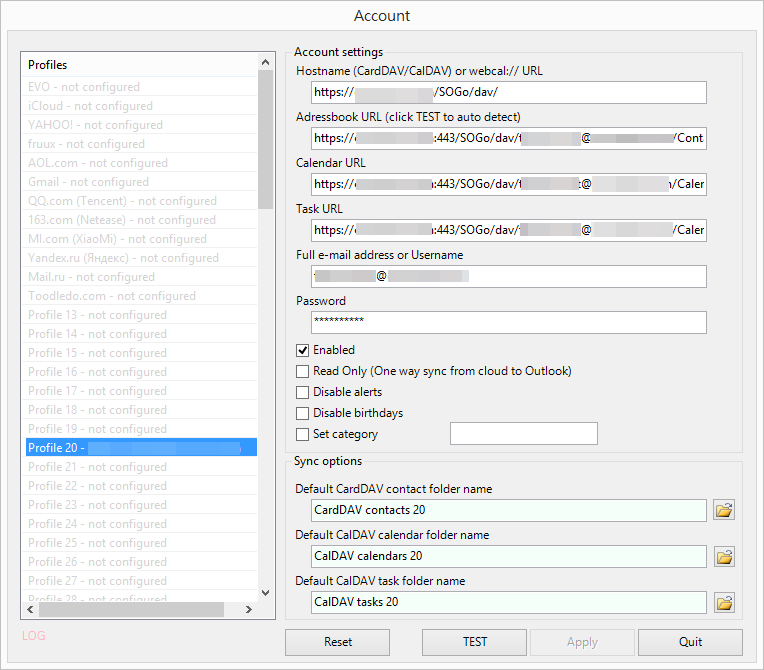
All I need to do is to enter the following information inside spaces circled in the screenshot below:
1.
Server
URL:
https://<servername_or_server_ip>/owncloud/ (for owncloud)
for Sync OwnCloud 9 calendar with Outlook, please visit this post
https://<servername_or_server_ip>/ (for zimbra)
for Sync OwnCloud 9 calendar with Outlook, please visit this post
https://<servername_or_server_ip>/ (for zimbra)
2.
Your username and password

Not only (OwnCloud / Zimbra) platform supports
CardDAV and CalDAV, but also EVO Mail Server has
native support on ECO smoothly.