How to sync Toodledo with Outlook?
Toodledo online has been a popular task management service provider for the past few years. Being different from regular Google Tasks, Outlook Tasks and iCloud Reminder, Toodledo provides multi-dimensional ways of keeping your tasks in various areas such as Life Goals, Folder, Location, GTD (getting things done), and Subtasks. Especially, GTD believers found Toodledo suitable to arrange their to-do lists efficiently that they will not drop or forget what has to be done.
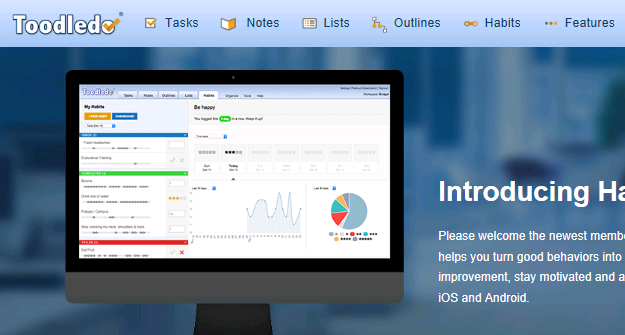
A task is capable of existing in several categories at the same time through its relative interconnectivity to other task items. It is only available if you have either free or paid services from Toodledo.com. Toodledo interface is available in Toodledo’s own web GUI, iPhone app and Android app. Even some 3rd party applications support it with write/read or read-only one way or another. Somehow, discussions have been going on for quite a while on a working and useful plug-ins that sync between Toodledo and Outlook environment. Before I start to try all those plug-in recommendations, I received a newsletter from EVO staff about the availability on supporting Toodledo. I guess I might as well start with this since I bought
EVO Collaborator for Outlook a long time ago.
- Click on Configure profile
- Select Profile 13 – Not configured (this is the profile for toodledo)
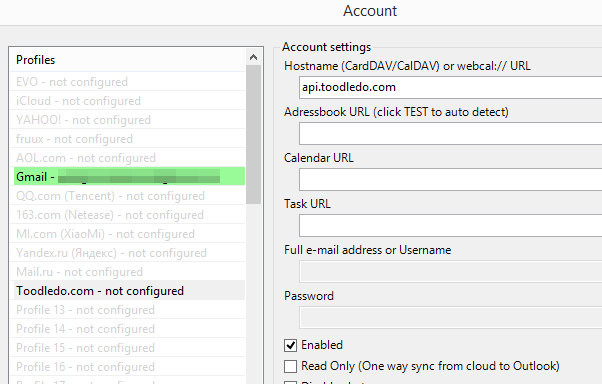
- Click on TEST
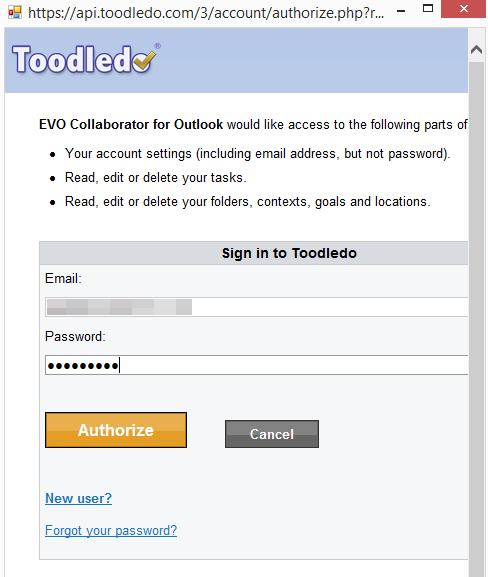
- In Toodledo’s OAUTH Authorize window, enter your username and password
.
- Click on Authorize
- Once completed, click cross at top-right
- A Success box will pop up and we are done
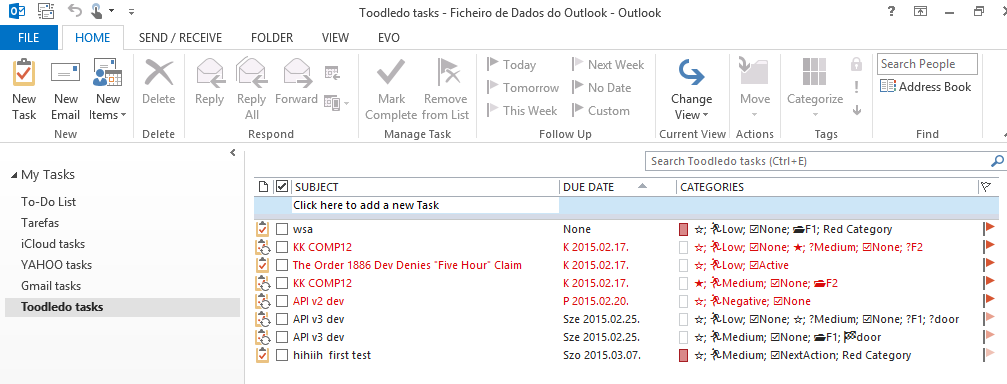
After your Toodledo account is properly configured, we need to verify if we are able to sync tasks.
- Create a task on Toodledo web GUI
- Manipulate task’s property such as folder, context, goal, location, status, priority and tags
- Once task is synchronized with Outlook, go to Outlook and check the matching item in Tasks section
- Take a look at various symbols under category, they match each of the task’s property that you just manipulated on web GUI.
- Reversely, edit the testing task’s properties such as title and elements in category. Then check back with your Toodledo web-GUI and see if sync takes place.
- Here is the emoji mapping table for your reference: Star emoji: ★☆ Folder emoji: 📂 Context emoji: @ Goal emoji: 🏁 Location emoji: 📍 Status emoji: ☑ Possible values: ☑None, ☑NextAction, ☑Active, ☑Planning, ☑Delegated, ☑Waiting, ☑Hold, ☑Postponed, ☑Someday, ☑Canceled, ☑Reference Priority emoji: 🏃 Possible values: 🏃Negative, 🏃Low, 🏃Medium, 🏃High, 🏃Top
I believe EVO Collaborator for Outlook is doing a decent job this time to incorporate Toodledo into Outlook 2007, 2010, 2013, 2016 or 2019 and it comes in handy for those who use both Toodledo and Outlook.


